Finding a Spotify to MP3 converter for Mac that really works is not easy. Many tools claim to do the job, but when you try them, you will get a “Spotify 500” error, or nothing will happen at all. Even if a tool works, it will often give you poor-quality songs.
This guide saves you the trouble of trying every tool on your own. It lists the six best Spotify to MP3 converters for Mac that actually work, whether you want to convert just a few songs or your entire library.
🎯Tip: Please use the converted Spotify MP3 files for personal use only.
6 Spotify to MP3 Converters for Mac: Overview
All six tools save Spotify songs as MP3 on a Mac, but they differ first in where the audio comes from. StreamFox and Eassiy take it from Spotify itself. The other four read the song details from your link and fetch a matching copy from YouTube or YouTube Music. Here’s how to choose:
- If you want whole playlists or albums in Spotify’s own quality, with clean tags and cover art, choose StreamFox for Music.
- When you need to record a song exactly as it plays on your Mac, choose Eassiy Screen Recorder Ultimate. It can record the sound in original quality.
- For one or two songs without installing anything, choose TrackDowner. It handles single tracks only, and the files come without cover art.
- If you’re comfortable manually verifying song versions and saving playlists as CSV files, you can use CSVMusic downloads small playlists for free.
- Those who already use Telegram can choose SpotifySaveBot. You can even send links from your phone and save the songs on your Mac later. You have to copy and paste each song’s link repeatedly.
- Avoid websites and ads by choosing the Spotify to MP3 shortcut. It runs in the Mac’s own Shortcuts app, one song at a time.
6 Spotify to MP3 Converters for Mac: Features and Performance
For each converter, you’ll see who it’s best for, how to use it, and what results we got in our tests, including audio quality and file tags.
1. StreamFox for Music – App
StreamFox for Music is a professional desktop option. You can choose it when you want to convert all your favorite Spotify songs or playlists to high-quality MP3.
StreamFox is built to download songs locally in batches and fast – up to 30x faster speed. The downloaded Spotify songs will land on your Mac with clean tags and are neatly organized into folders. So you can add them to Apple Music without having to manually fix the metadata. You can even sync them to iPhone and iCloud Library without any problems.
Basic Info
| Feature | Details |
|---|---|
| Pricing | • The free trial converts 3 songs, so you can check the quality first • Paid plans start at US$ 99.95/year |
| Formats | MP3, M4A (AAC), WAV, FLAC, AIFF, and M4A (ALAC) |
| Quality | • You can pick 128, 256, or 320 kbps for MP3 • FLAC and WAV keep the sound lossless • Audio comes from Spotify’s own stream, not a YouTube match |
| Metadata | • Every file keeps its song title, artist name, album info, and HD cover art • Playlists’songs stay in their original order |
| Efficiency | • Whole playlists, albums, podcasts, and audiobooks convert in one batch • Conversion runs at up to 30x speed |
Steps to Convert Spotify to 320 Kbps MP3
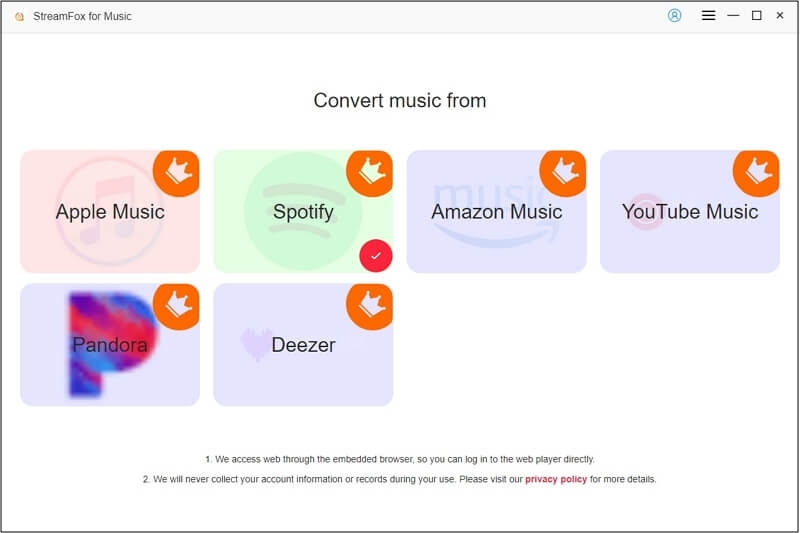
Step 1. Download, install and launch StreamFox for Music on your Mac. On the start screen, choose Spotify.
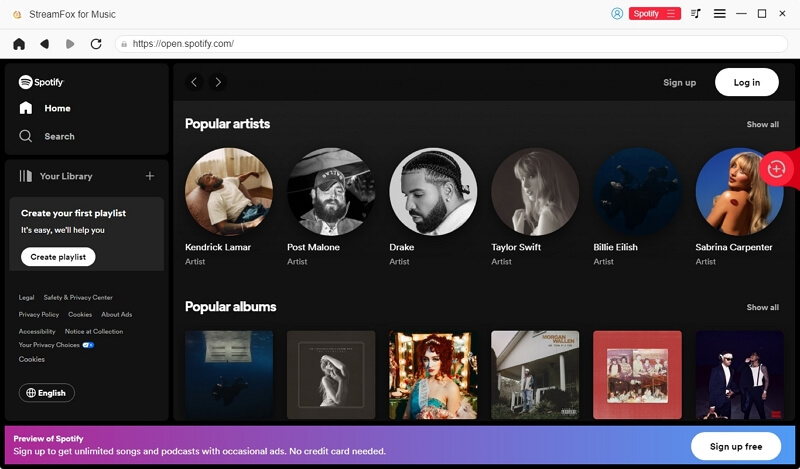
Step 2. A Spotify page opens inside StreamFox. Click Log in and sign in with your own account. A free account works too.
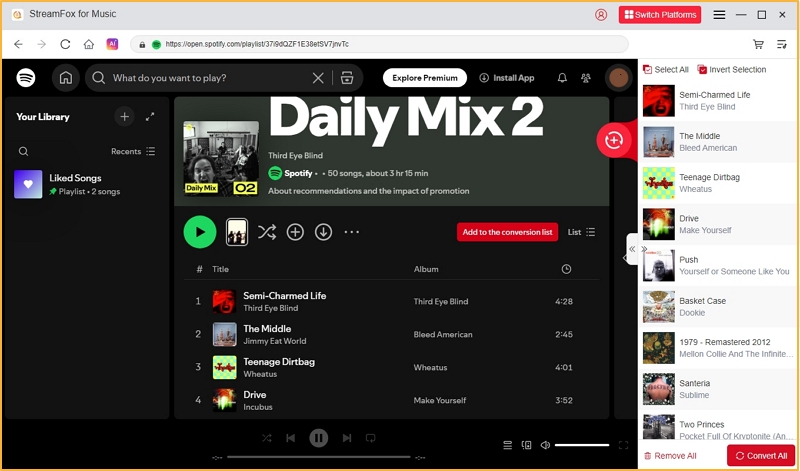
Step 3. Open any playlist, album, or song. Click the red Add to the conversion list buttonor drag songs onto the red (+) button on the right edge.
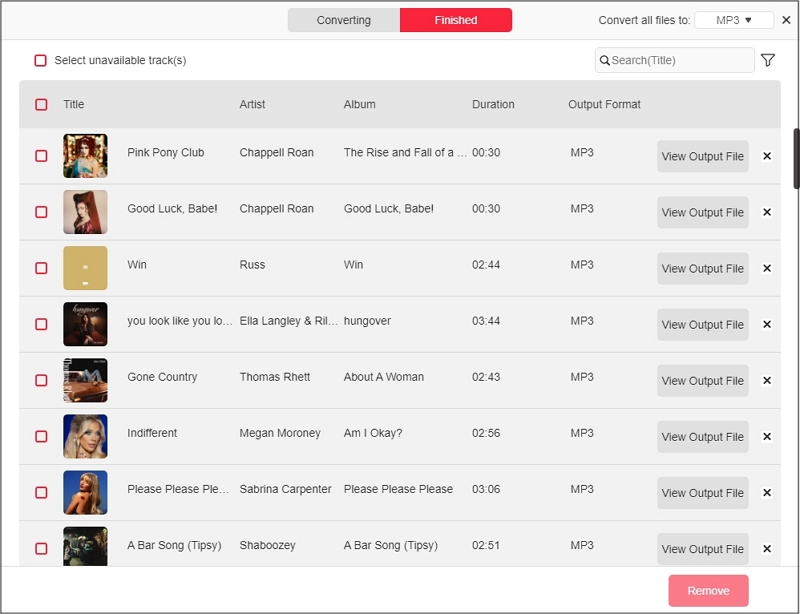
Step 4. In the conversion list, set the format to MP3 and the bitrate to 320kbps. Click Apply to All so every song gets the same setting, then hit Convert All.
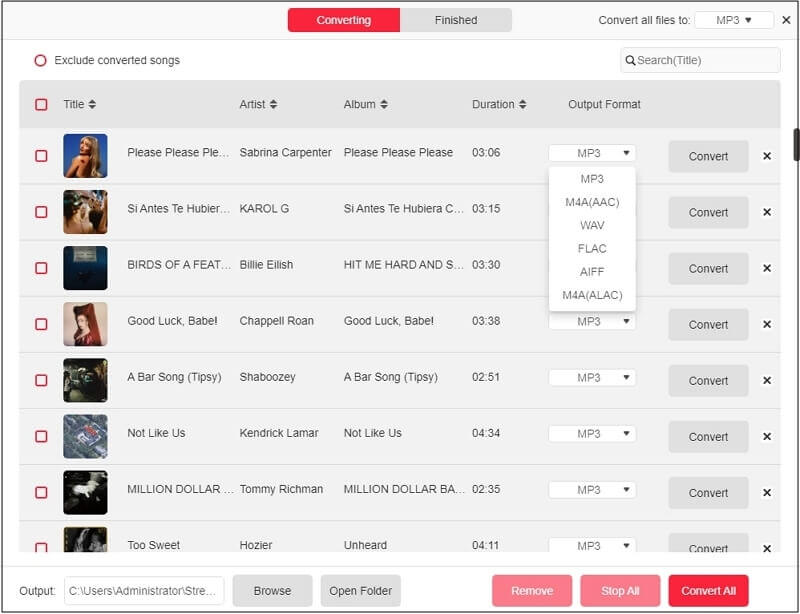
Step 5. When the songs move to the Finished tab, click the folder icon next to Output at the bottom to open them in Finder. You can play the track or even add them to Apple Music by opening the Music app and choosing File > Import.
2. Eassiy Screen Recorder Ultimate – App
Eassiy Screen Recorder Ultimate suits you when you want to record a song as it plays, in its original, crisp sound. It is a screen recorder at heart, but it also comes with a dedicated Audio Recorder feature that captures any sound playing on your Mac. So it can record any audio playing in the background, including Spotify songs.
Basic Info
| Feature | Details |
|---|---|
| Pricing | • Free with time limits • Paid license to unlock all-in-one recording utility: US$19.99(one month) |
| Formats | • Recordings save as MP3, M4A, AAC, WAV, FLAC, OPUS or WMA |
| Quality | • You get exactly what plays on your Mac • With Premium, Spotify plays at up to about 320 kbps, while the free plan stops around 160 kbps |
| Metadata | • A fresh recording has no tags • Use its Media Metadata Editor adds the title, artist, and cover |
| Efficiency | • Songs record one after another, in real time • Auto Stop ends a recording at the time you set |
Steps to Record Spotify Songs as MP3 on Mac
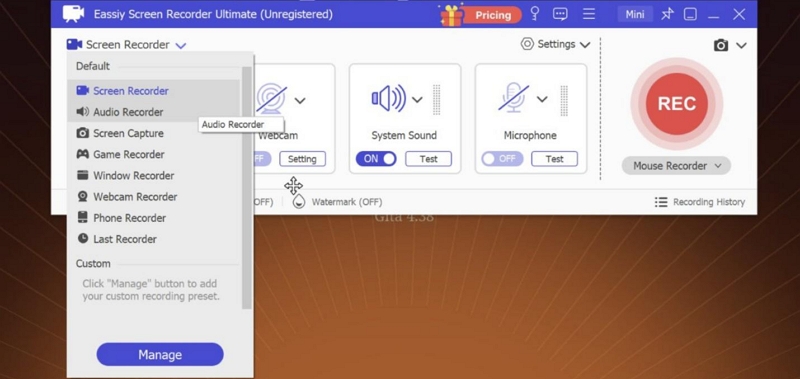
Step 1. Install and open Eassiy. Click the mode menu at the top left and choose Audio Recorder.
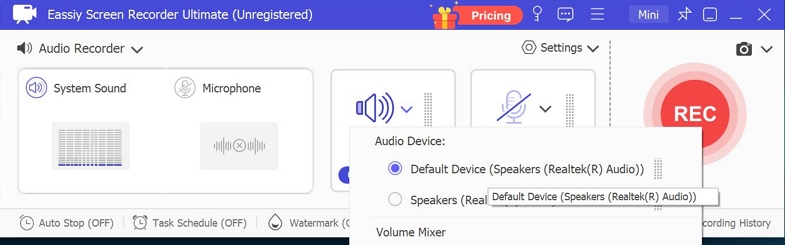
Step 2. Keep System Sound on and turn Microphone off, so room noise stays out of the song.
Step 3. Click the red REC button. Play the song in Spotify.
Step 4. When you’re done, click the red stop button on the floating bar.
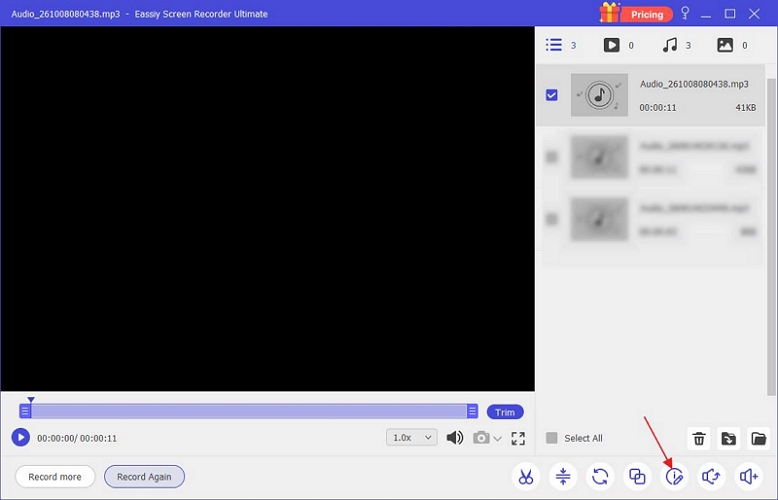
That’s it! A window will open with your recording. Just right-click it and choose Media Metadata Editor to add the song name, artist name, and cover. You can click on the Open folder to see where the file is saved.
3. TrackDowner – Online
TrackDowner is one of the online tools. It’s useful when you want a song or two on your Mac quickly, for example, for an editing project. When you paste a Spotify link, the site searches open libraries like YouTube for a song with the same title and artist and returns it with Spotify’s tags. As a result, the audio quality depends on YouTube’s audio stream (roughly 126 kbps AAC).TrackDowner carries ads and doesn’t support batch downloads. One likable trait that TrackDowner has is that it keeps the necessary metatags (song title and artist name) clean. Still, the album and cover art were missing from every song we converted.
Basic Info
| Feature | Details |
|---|---|
| Pricing | • Free, with no sign-up |
| Formats | • MP3 only |
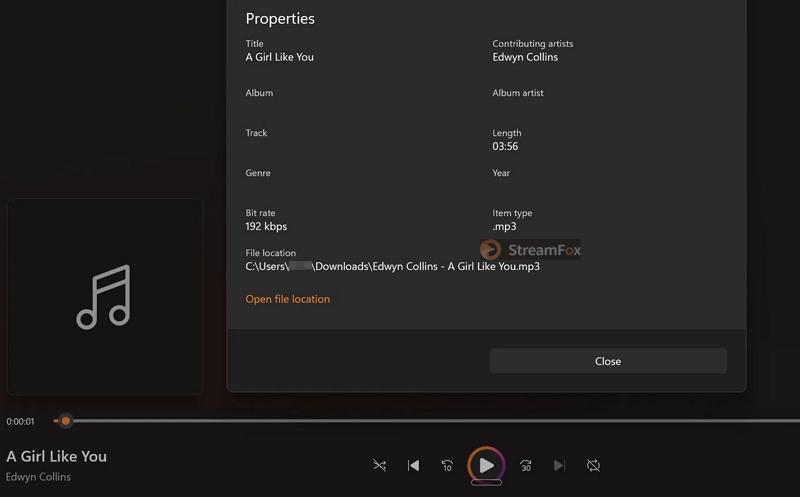
| Quality | • It promises 320 kbps, but our test song came out at 192 kbps |
| Metadata | • Only preserve names of song and artist |
| Efficiency | • Playlist and album links aren’t supported |
Steps to Download a Spotify Song as MP3 Online
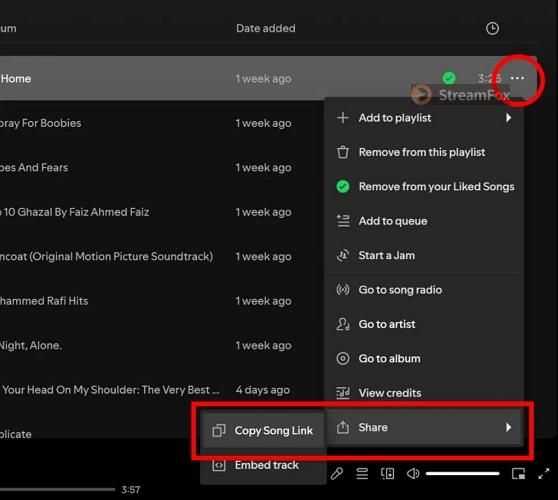
Step 1. In Spotify, move your pointer over the song you want and click the three dots (…) at the right end of its row. Hover over Share, then choose Copy Song Link.
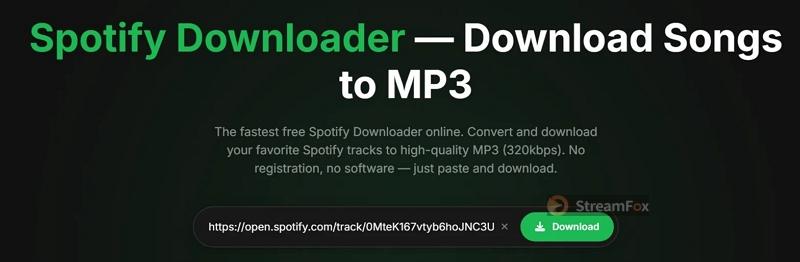
Step 2. Head to trackdowner.com in Safari or any other browser. Paste the link into the box and click the green Download button.
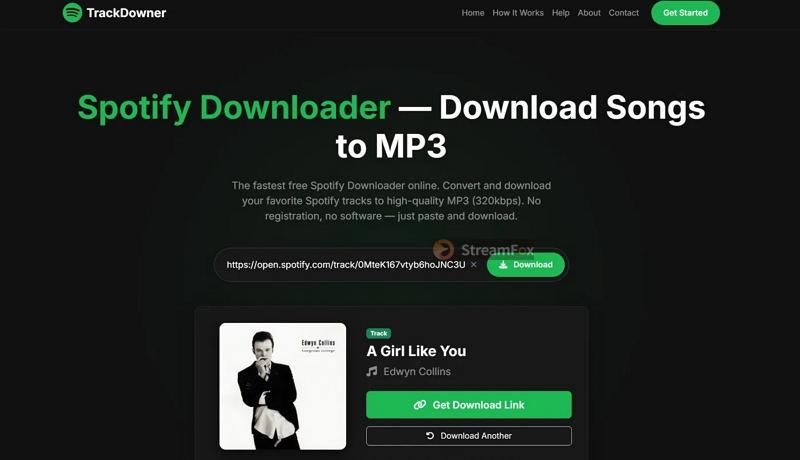
Step 3. Wait for the song card with the cover, title, and artist. Then click Get Download Link.
Step 4. The MP3 will be saved to your Downloads folder. For the next song, click Download Another and paste its link.
4. CSVMusic – GitHub
CSVMusic comes from GitHub. It is a free utility made especially for bringing Spotify playlists (or even songs from Apple Music and YouTube Music) to your iPod or MP3 player. That’s why it focuses on proper tags, cover art, and playlist files rather than on sound quality. It includes a button to sync whole playlists to a classic iPod or a USB music player without requiring Finder or iTunes. However, sometimes, you’ll need to manually verify the song versions and save playlists as CSV files. So it’s recommended to export small playlists.
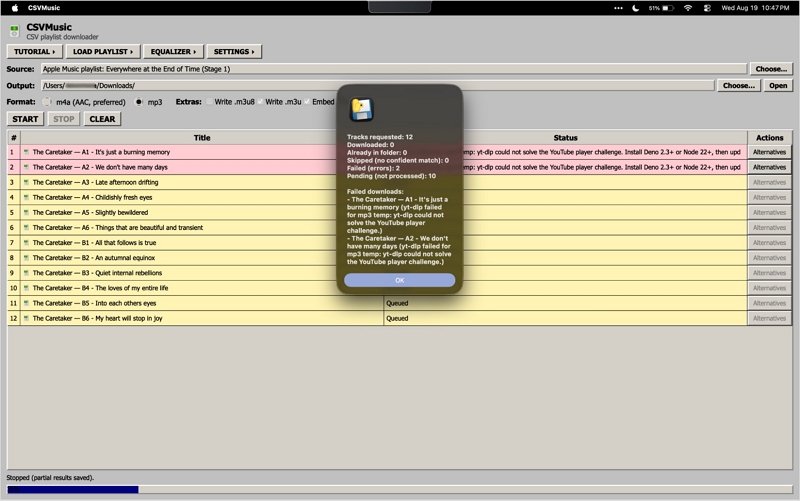
Keep in mind that the engine underneath is still yt-dlp. CSVMusic reads your Spotify link, but the songs still come from YouTube Music. Another problem is the tool often breaks, and you’ll have to wait for the developer to fix it.
Basic Info
| Feature | Details |
|---|---|
| Pricing | • Free and open source |
| Formats | • MP3 or M4A, plus Opus if you want it • Playlist files in M3U or M3U8 |
| Quality | • Each song is matched on YouTube Music • The sound stays at that upload’s level, whatever bitrate the MP3 shows |
| Metadata | • Artist, title, album and full-size Spotify artwork • Numbered file names • Uncertain matches turn yellow, so you can pick a better version |
| Efficiency | • Public Spotify links can stop at 100 tracks. And you’ll have to use TuneMyMusic CSV to bring in the rest |
Steps to Save Spotify Playlists as MP3 with CSVMusic
Step 1. Open the CSVMusic releases page on GitHub and download the macOS ZIP for your Mac.
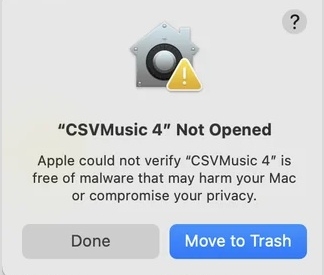
Step 2. Safari unzips the file on its own in your Downloads folder. Move the CSVMusic app to Applications, and keep any other files from that folder together with it.
Step 3. Double-click CSVMusic to open it.
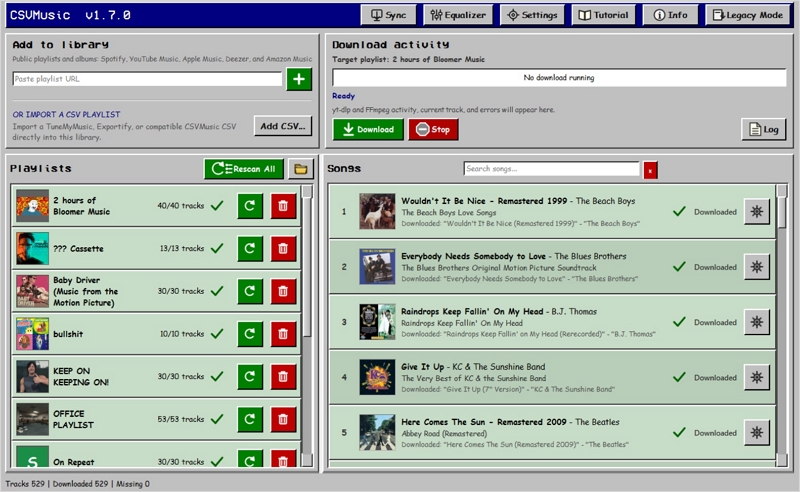
Step 4. Copy your playlist link from Spotify. In CSVMusic, paste it into the Paste playlist URL box under Add to library. Then, click the green + button. The playlist will show up on the left with its track count.
Note: If a large playlist stops at 100 tracks, you have to first export it as a CSV from TuneMyMusic and load it with Add CSV… instead.
Step 5. Select the playlist and look through its songs. You’ll also find some songs in yellow. This means you’ll have to confirm and choose a better match if the version is wrong. Or else, it can convert the wrong song sharing the same name.
Step 6. Click Download. Choose your output folder and set the format to MP3. Then click Start Download. Each finished song will show Downloaded with a green check.
5. SpotifySaveBot – Telegram
Telegram bots work through the Telegram app on your Mac, or right in your browser at web.telegram.org. They’re best on Mac if you don’t want to use online converters or deal with unreliable, ad-filled pages. Still, they work much like the online tools above. That is, you copy a song link from Spotify, paste it into the chat, and the bot sends back the song it found.
For instance, the one we found working was SpotifySaveBot (@SpotifySaveALotBot). It pulls tracks from YouTube Music, so the audio quality isn’t great.
While listening on Spotify, you can send a link from your phone, and the song will be waiting in the same chat when you open Telegram on your Mac.
Basic Info
| Feature | Details |
|---|---|
| Pricing | • Free with any Telegram account |
| Formats | • Songs arrive as MP3 files in the chat |
| Quality | • Varies with the YouTube Music upload the bot finds |
| Metadata | • Song name, artist and cover art come attached |
| Efficiency | • Popular songs arrive instantly as it saves in the channel. Regional or niche songs can take a few seconds (as it has to process the songs on its servers). Note: It can fetch the wrong versions of the Spotify song. |
Steps to Get Spotify Songs as MP3 with SpotifySaveBot
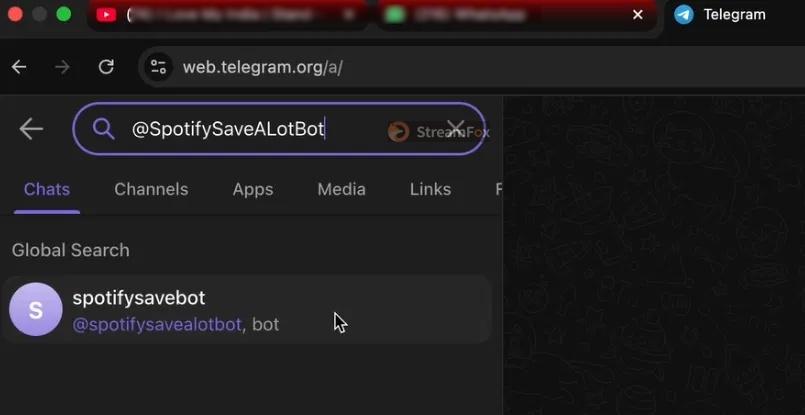
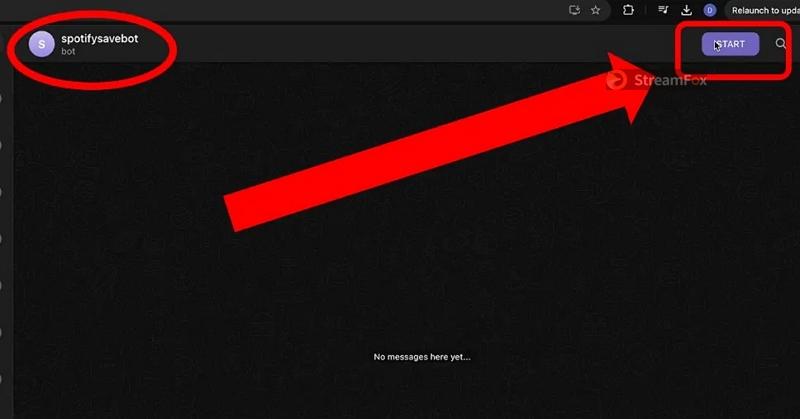
Step 1. Open Telegram on your Mac, or go to web.telegram.org. Type @SpotifySaveALotBot in the search bar at the top and click spotifysavebot.
Step 2. Click START at the top right to activate the bot.
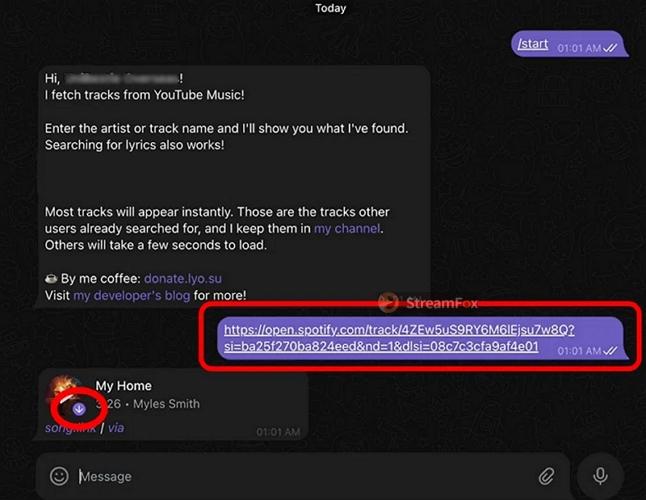
Step 3. Copy the song link from Spotify, paste it into the message box and press Return.
Step 4. A song card will come back with the cover and title. Click the download arrow on the cover. This will save the song to your Downloads folder on the Mac.
6. Spotify to MP3 – iOS Shortcuts
Shortcuts on macOS give you one benefit: you can complete the entire Spotify to MP3 process via the Shortcuts app without dealing with ads, pop-ups, or click-throughs. That said, they work much like online converters and are not reliable. That is, they can work fine one day and break the next.
The best one we found is Spotify to MP3 by chrunos on RoutineHub. It’s free and runs on macOS Monterey or later, as well as on your iPhone and iPad. Besides, it fetches the music from YouTube Music, so YouTube Music must be available in your country.
Basic Info
| Feature | Details |
|---|---|
| Pricing | • Free on RoutineHub |
| Formats | • MP3 |
| Quality | • Follows the YouTube Music copy it finds |
| Metadata | • The song title and artist come from your Spotify link |
| Efficiency | • The current version converts one song per run • An older version on the same page takes playlist links |
Steps to Run the Spotify to MP3 Shortcut on Mac
Step 1. Open the Spotify to MP3 page on RoutineHub in Safari and click Get Shortcut. The Shortcuts app opens with a preview. Click Add Shortcut.
Step 2. Copy the link to the song you want from Spotify.
Step 3. In the Shortcuts app, hover over the Spotify to MP3 tile and click its run button.
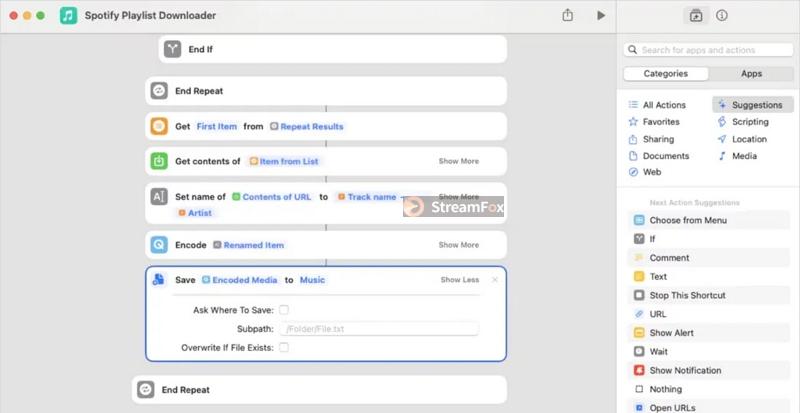
Step 4. Wait until the shortcut finishes. To see where your song went, double-click the tile and look at its Save action. It names the folder, and you can tick Ask Where To Save if you’d rather pick a folder each time.
Conclusion
These are your best options for saving Spotify songs as MP3 on your Mac, whether you want a one-time download or need to build an offline library.
The most efficient option is StreamFox for Music. It can convert whole playlists in original-quality MP3 and in one batch. Plus, the songs come with clean tags, so moving them around the Apple ecosystem is no problem. You can add them to the Music app and, with an Apple Music subscription, even sync them to your iCloud Music Library later.